How Internal Fellowship Registration Works
As a verified member of Unilabs, you can access fellowship training sponsored by your employer. We provide high-quality learning opportunities, direct access to renowned mentors, and hands-on training designed to help you develop your expertise. Take full advantage of the educational benefits available to you as part of the Unilabs community and continue growing your radiology skills with support from leading experts.
Video guide
Watch the video guide for a complete walkthrough of the internal registration process, or follow the written steps below.
1. Unilabs Academy Account
If you don't have a Unilabs Academy account yet, sign up for the Academy's Free Membership, which gives you access to essential learning materials and educational resources.
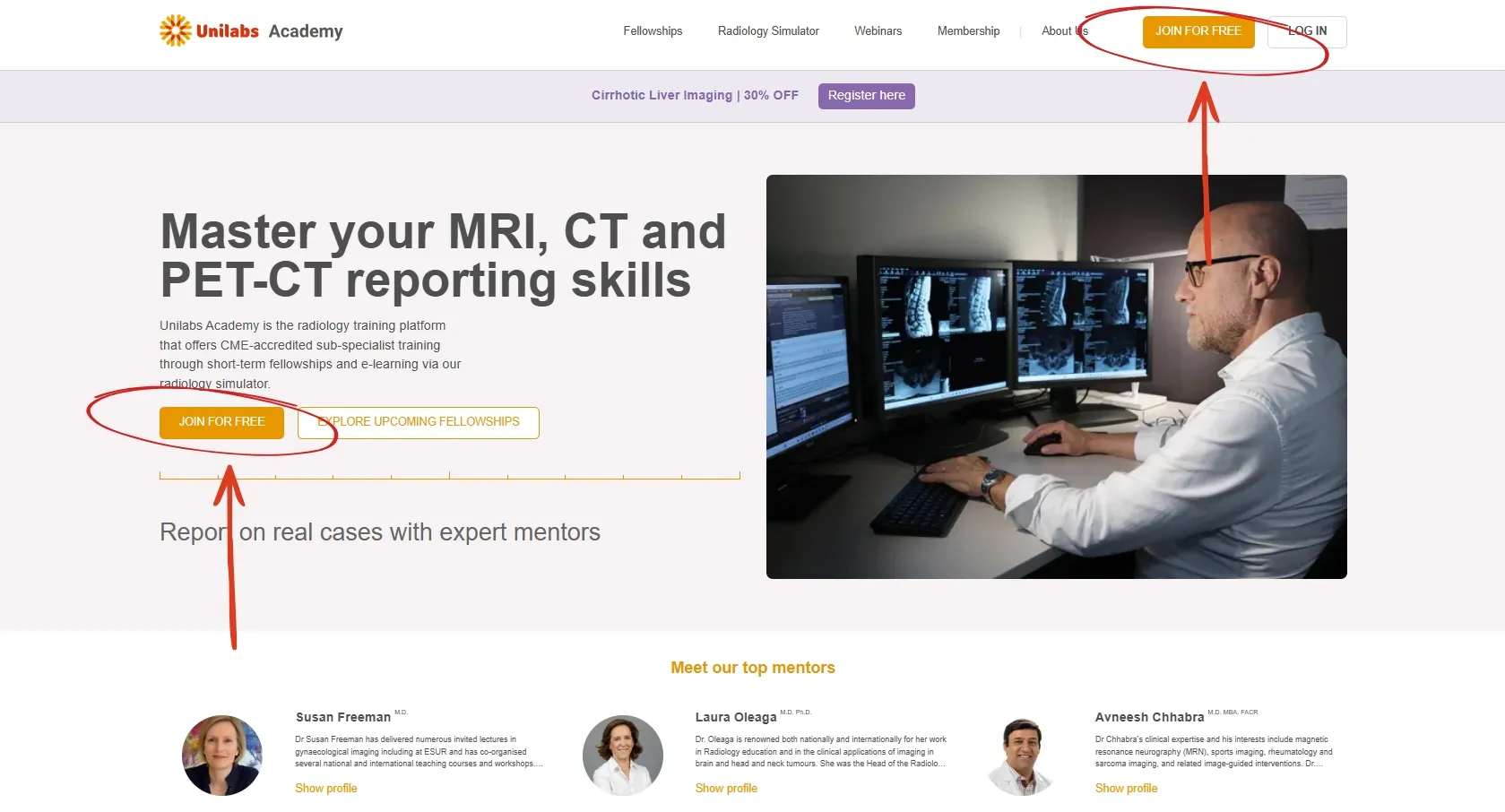
You can use your personal or private email address to create your account. This email address will be used for training-related communications, including registration confirmations, course updates, reminders, and other Academy notifications. For this reason, we recommend using an email address that you check regularly.
Already have multiple Unilabs Academy accounts?
If you have created accounts using more than one email address and would like to consolidate them, please contact our Customer Support team and provide a list of all email addresses associated with your accounts. We can merge them into a single account, helping you keep your training history, simulator progress, course registrations, and CME certificates in one place for easier access and management.
2. Verify your organization affiliation
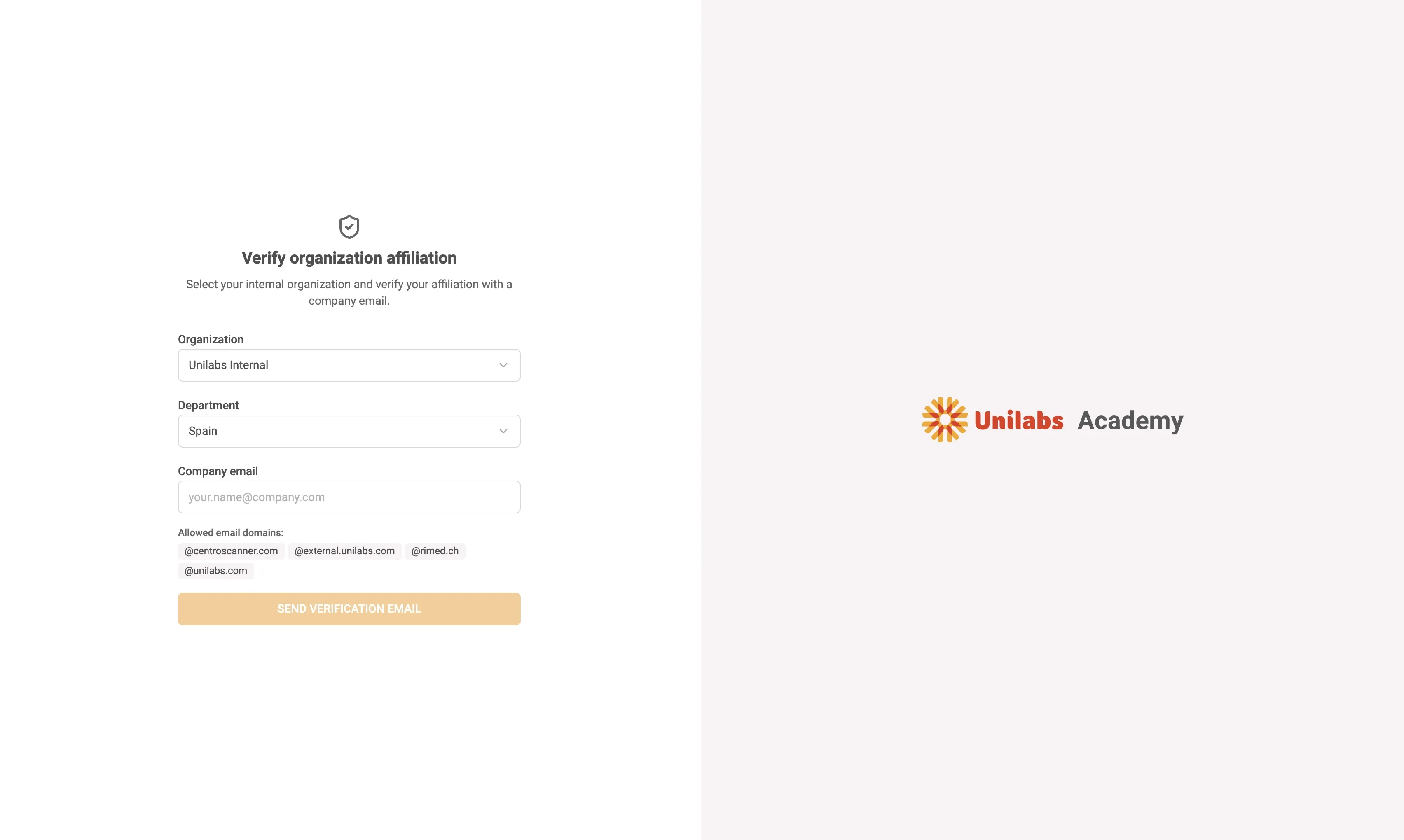
Before you can request a fellowship, verify that you belong to a participating organization. Go to the verification page, select your organization and department, and enter your company email address. You will receive a verification link valid for 48 hours.
Once verified, your organization and department are stored on your account and used for all future fellowship requests.
Your Premium Membership is activated automatically at no additional cost once your internal organization affiliation is verified. No separate sign-up or activation is needed.
3. Browse fellowships and request registration
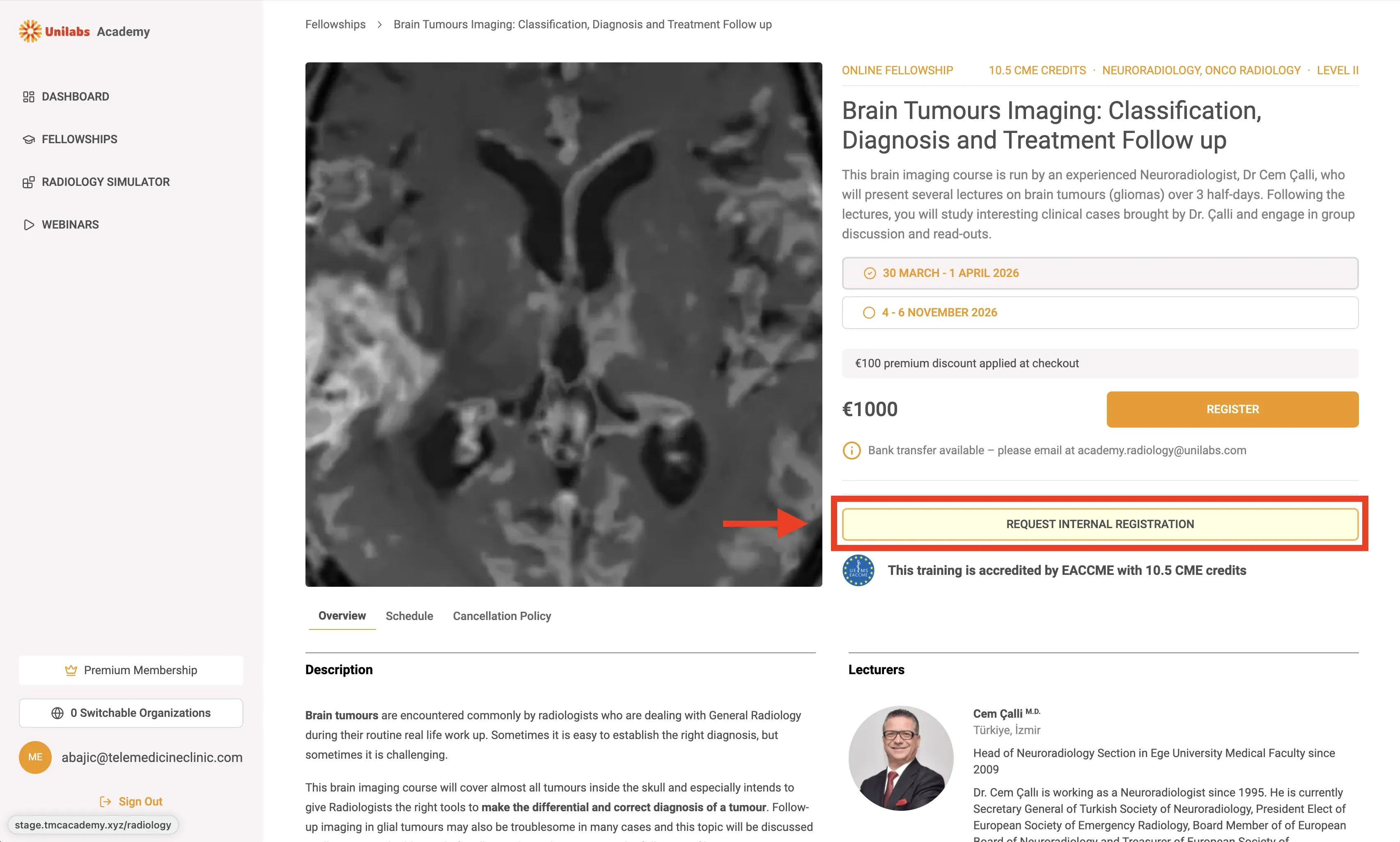
Browse the fellowship calendar as usual. On any fellowship page, verified internal users will see a "Request free registration" button above the standard paid registration option. Click it to confirm your department and submit.
4. Approval
Your request is automatically routed to your department's approver. You will receive an email with the outcome.
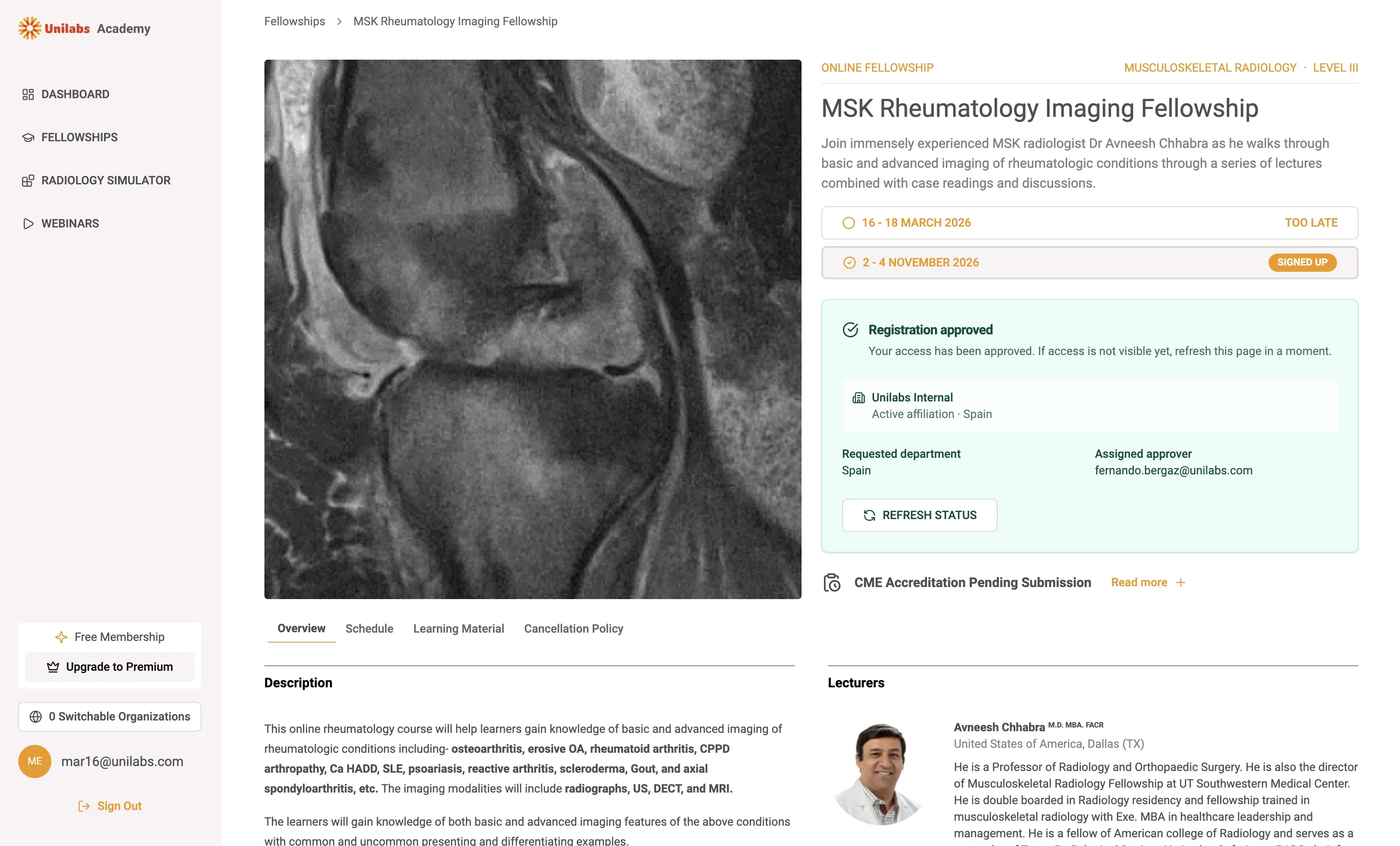
- Approved -- You are immediately registered at no charge. Access appears on your dashboard.
- Rejected -- You will see the reason on the fellowship page and can submit a new request.
Each department has an annual quota of sponsored seats. If the quota has been reached, further requests cannot be approved until the next year.
5. How to change department
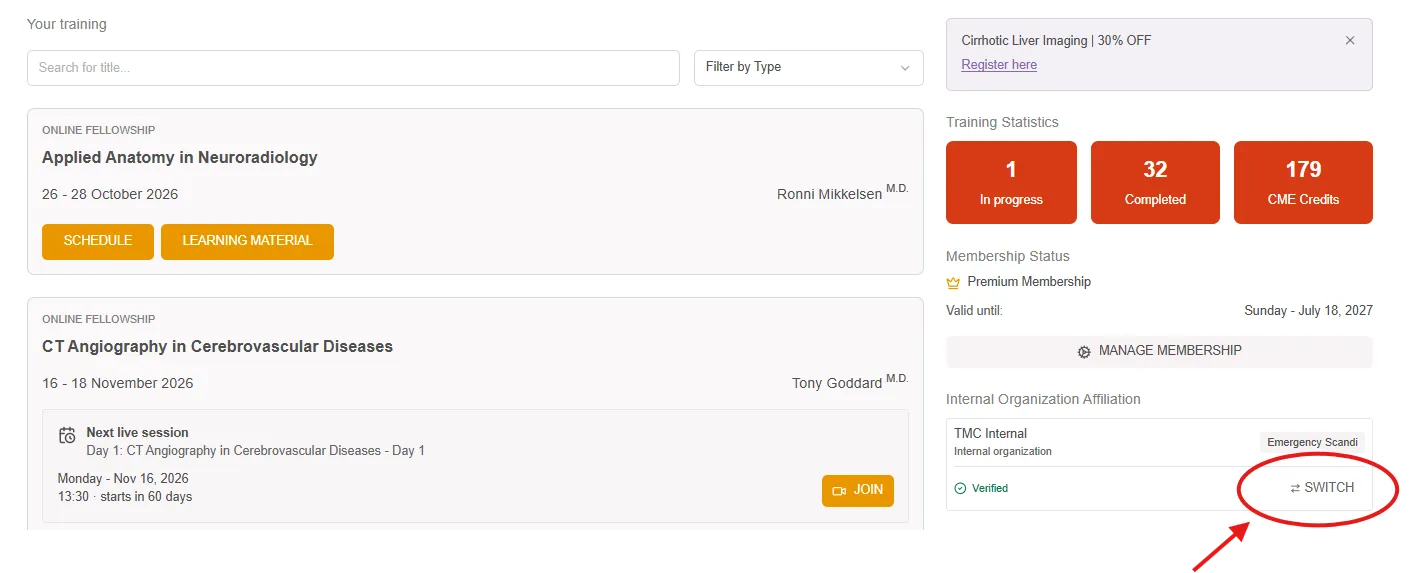
If you have been assigned to the wrong department, you can switch to the correct one from your user dashboard. On the right-hand side, you will see a section called "Internal Organization Affiliation", where your current assignment is displayed. Click the "Switch" button to change to the correct department.
6. Access your fellowship
Once approved, the fellowship appears on your dashboard just like any other registration. From there you can access the schedule, learning material, and live sessions.
*Attendance-based CME credits: For participants who attend only part of a fellowship, CME credits will be awarded proportionally based on the sessions attended. Using the existing functionality, credits for missed days will be deducted from the total accredited credits. For example, if a fellowship offers 9 CME credits over 3 days and a participant attends 2 of the 3 days, their certificate will reflect 6 CME credits. This ensures that the CME certificate accurately corresponds to the participant's attendance.
Please note that CME accreditation certificates can only be downloaded by participants who attend the fellowship live.
7. Your Premium Membership
Once your internal organization affiliation is verified, you're automatically signed up for the Academy's Premium Membership at no additional cost. Premium Membership provides full access to our on-demand learning library, including webinars, online reporting modules, and other valuable educational resources designed to support your ongoing professional development.
Follow us on Viva Engage.